
Skillhub
Bridging the gap between students and teachers, 2025-6.
What
A subscription-based iOS platform that connects learners with expert teachers in a dual-role marketplace, delivering a single cohesive experience for both learning and teaching.
Role
End-to-end product design for SkillHub (sole designer), with a focus on flows that serve two roles (learners and experts).
Designed and documented flow logic that stays consistent across user types, while enabling role-specific actions (e.g., host vs attendee).
Built a design-system-backed calendar, login, messaging/notification, profile analytics, and online-class flows that scale with features and users.
Why
To deliver cohesive experiences for dual roles within a single product, without UX fragmentation.
To ensure a scalable design system governs complex, data-heavy surfaces and cross-role interactions.
To enable rapid iteration in a fast-moving environment while keeping the user experience consistent.
Process
Team: Initially two people (me and the back-end engineer who conceived the app and hired me), then three people (me, front-end, back-end). Lean, fast, with tight alignment.
Cadence: Not formal sprints; agile in spirit. Changes flowed continuously as new ideas emerged and as engineering constraints became clear.
Flow scope: End-to-end flows for onboarding, discovery, scheduling, learning, and analytics, with per-role affordances and shared patterns.
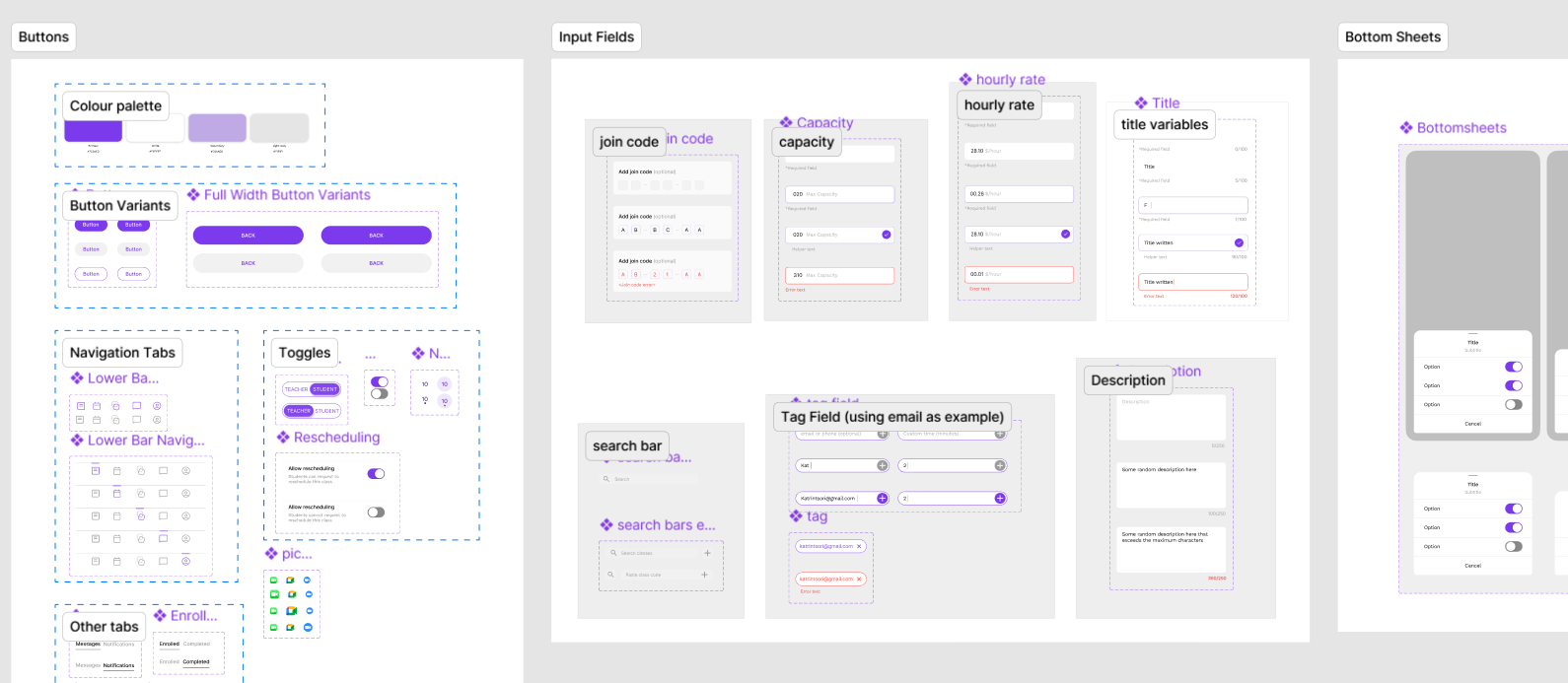
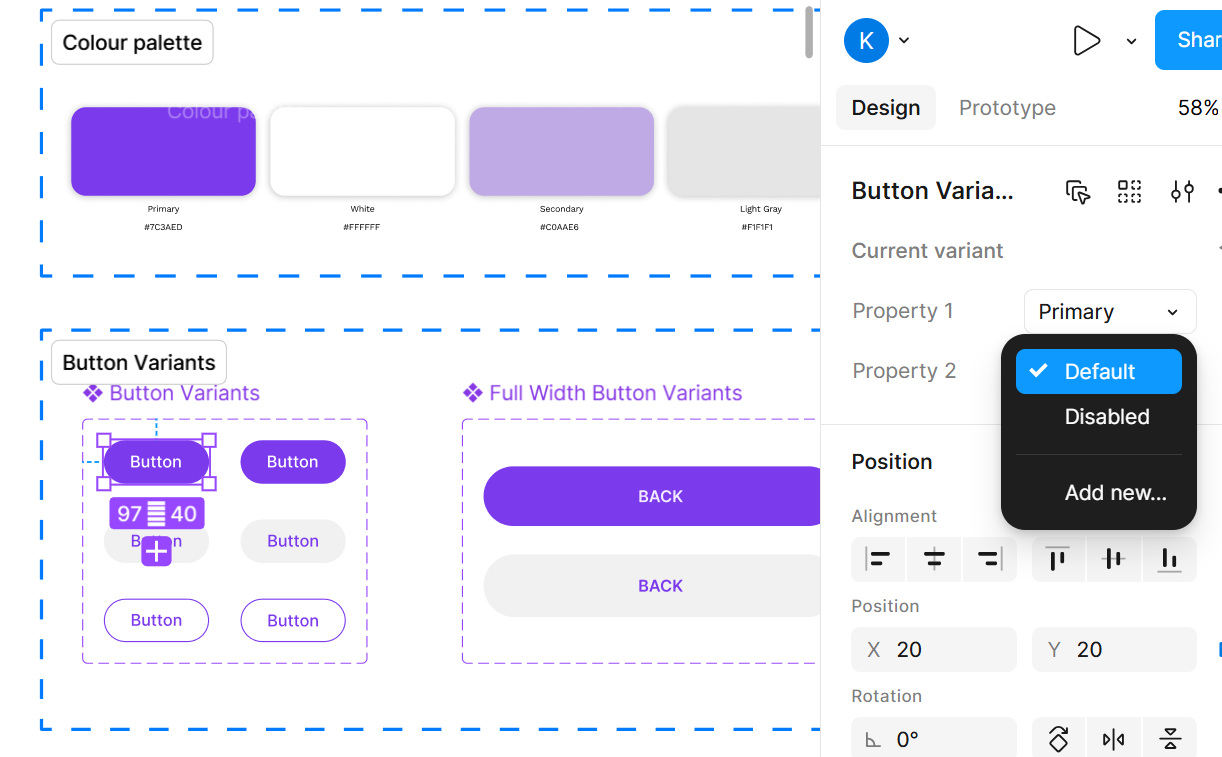
Design-system-first: Built modular tokens and components from day one to ensure consistency as features evolved.
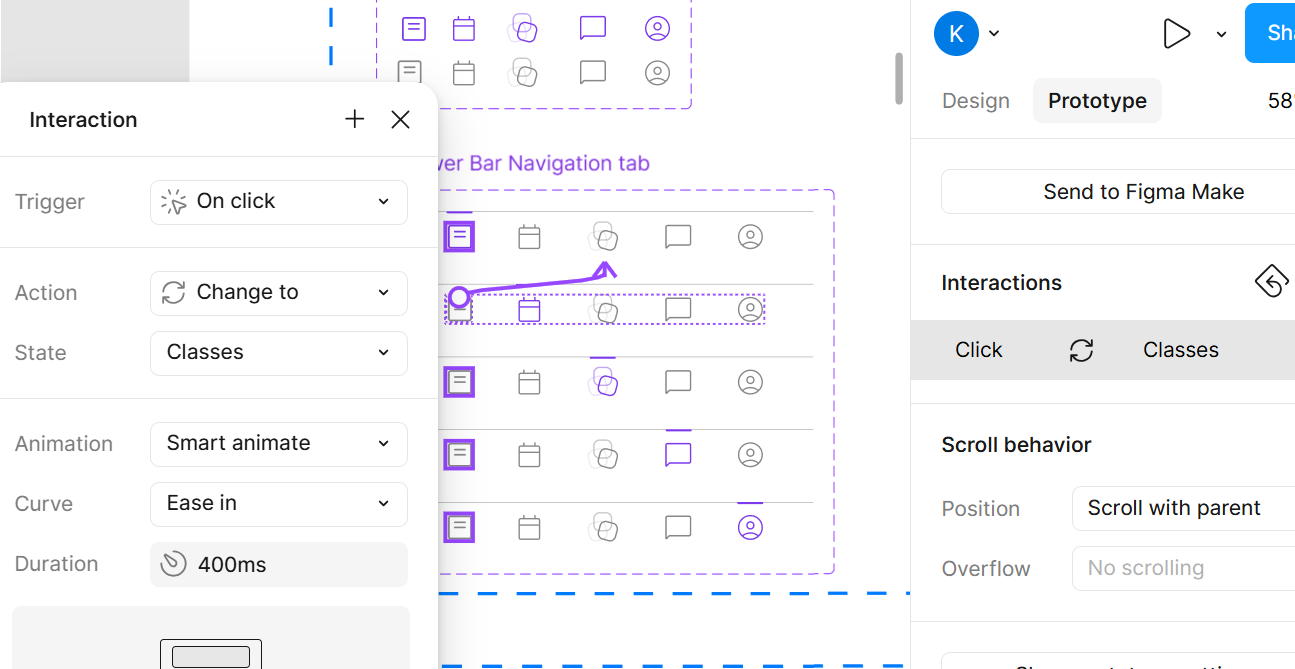
Prototyping: High-fidelity prototypes to validate interactions with stakeholders and engineers; decisions captured in lightweight specs.
Handoff and growth: Design choices sized for future designers; documentation lives in a living design system to ease onboarding and scale.
Login
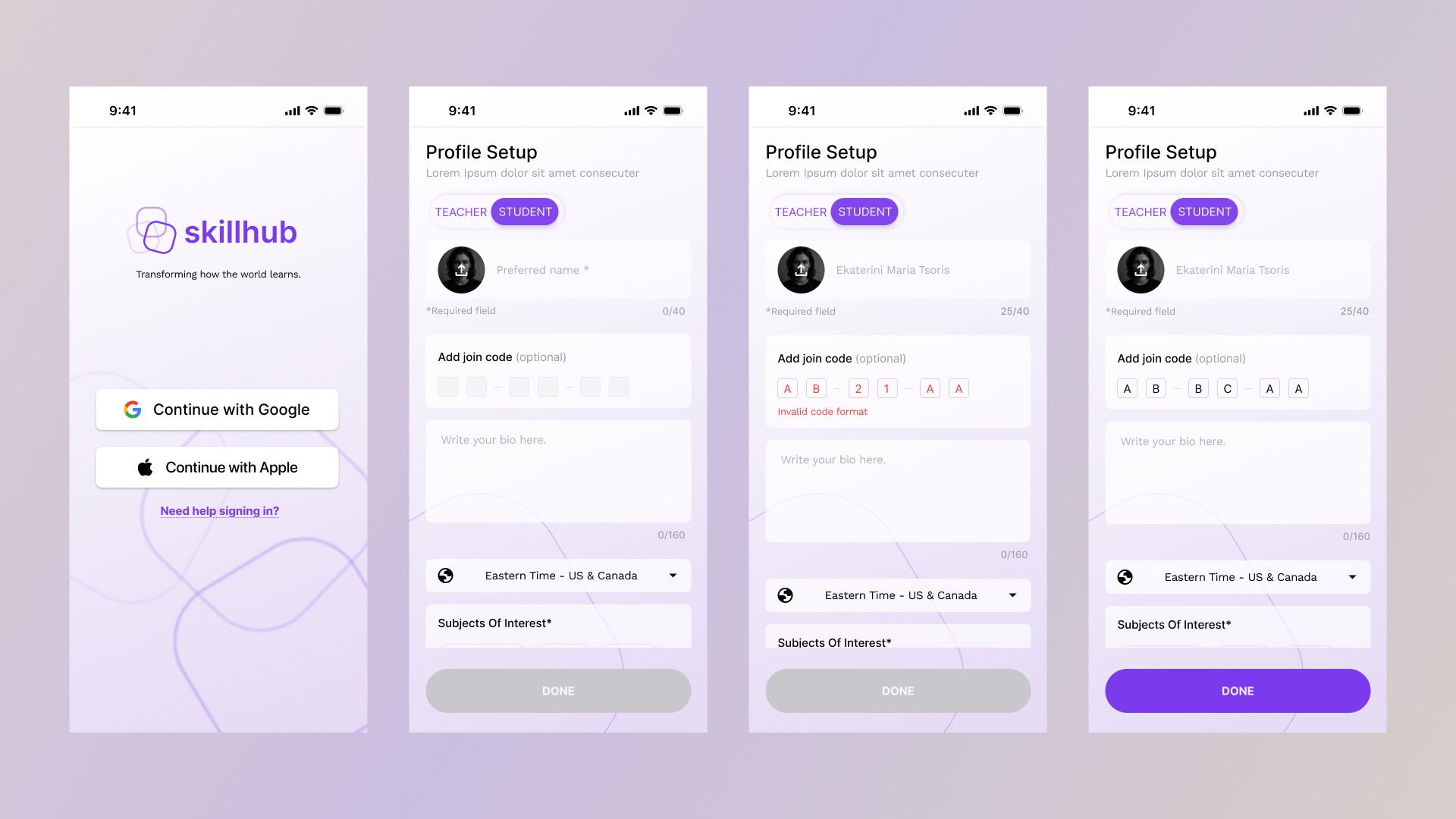
Entry, sign-in, and sign-up experiences shared across both roles with consistent validation and error handling.
Challenges
Handling edge cases (password reset, failed attempts) without fragmenting the experience.
Solution
Unified login component library with role-agnostic base and role-specific paths.
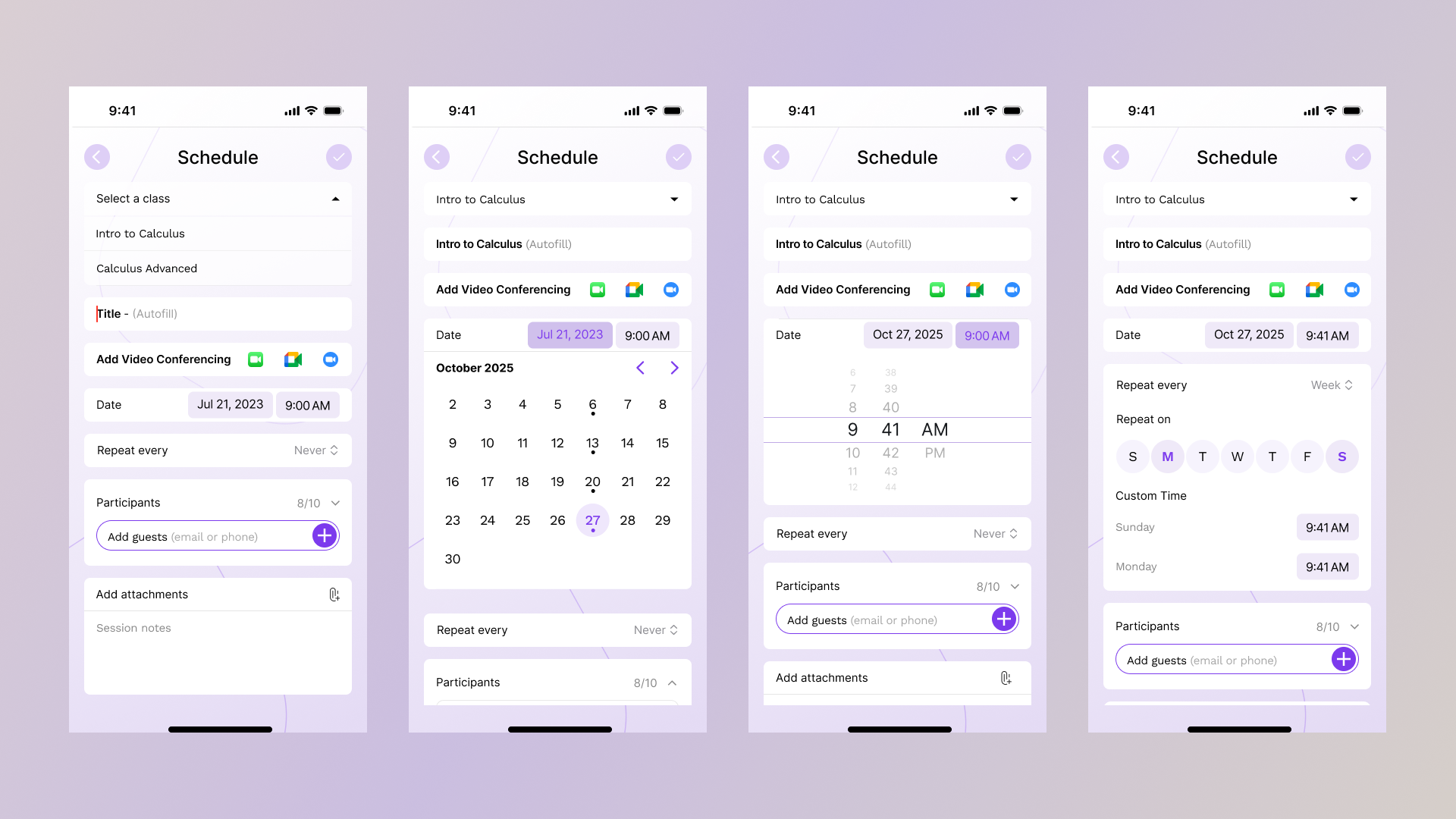
Calendar Scheduling - Expert
Central scheduling surface used by both learners and experts; supports onboarding calendar sync, discovery, booking, recurring sessions, and subscription-linked events. Calendar is a high-visibility, data-heavy surface that drives activation, engagement, and revenue. It must be flexible for experts’ frequency customization and robust for learners’ slot selection.
Solutions
A single calendar component library with recurrence controls and role-aware actions.
Availability management, conflict-resolution UX, and consistent microcopy.
Challenges
Time zones and daylight saving alignment across devices.
Frequency feature simple design solution
Preventing scheduling conflicts when roles overlap.
Keeping a data-heavy calendar legible and fast.
Profile - Analytics
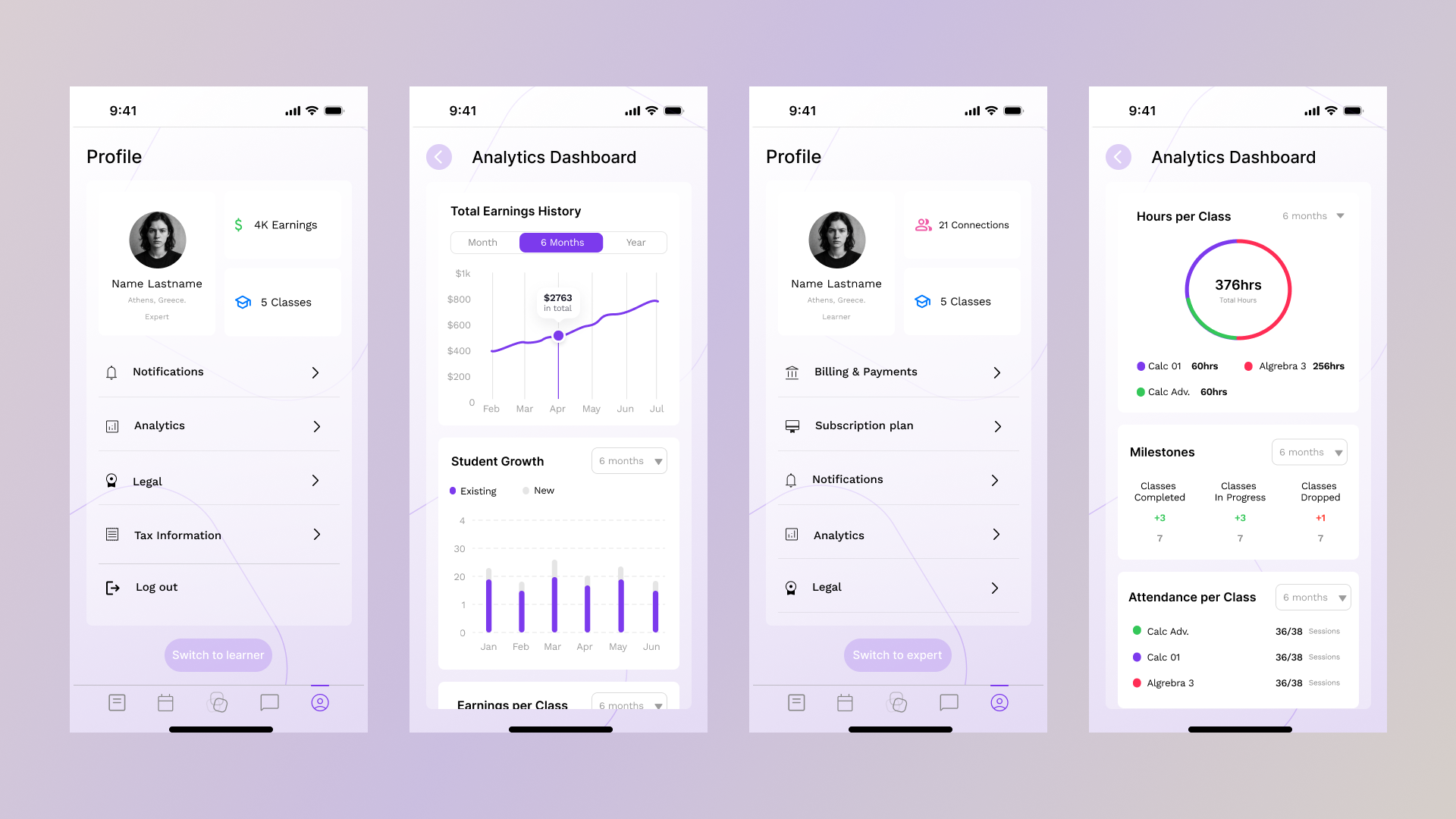
Solution & Deliverables
Profile analytics templates and reusable components integrated into the design system.
Clear empty/loading states to preserve perceived performance.
Analytics templates and widgets that scale with new data sources; unified labeling and metric definitions.
Challenge
Presenting dense data without overwhelming users (admin vs end-user data)
Online Class - Expert view
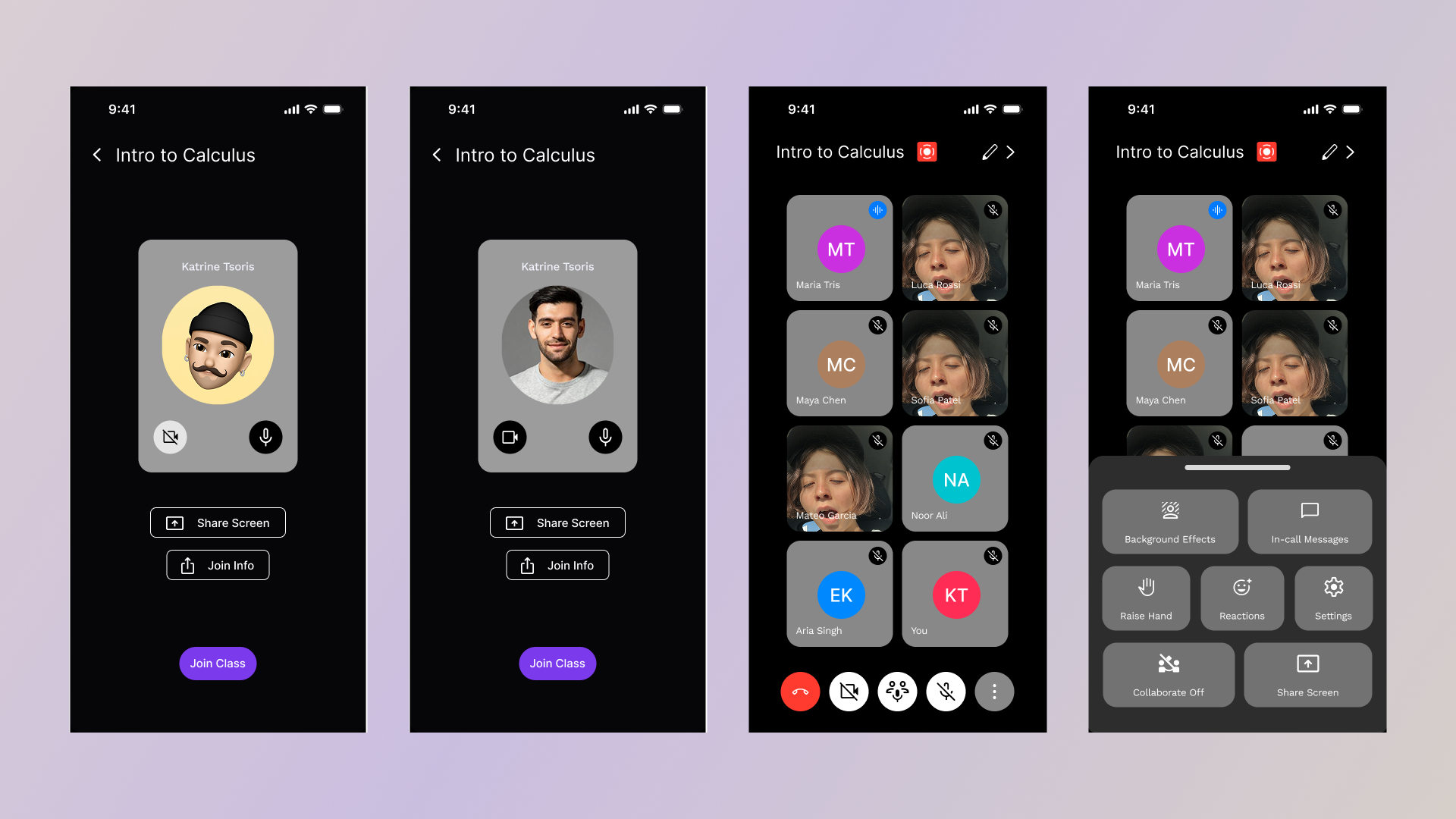
Creating, managing, and joining online classes with role-specific actions. Unified class detail pages; per-role action sets that map to the same journey and integrated calendar events and notifications to surface class milestones.
Solution & Deliverables
End-to-end class flow blueprints with per-role UI treatments and shared components.
Prototypes for join/host interactions and post-class workflows.
Challenge
Live session variability and platform constraints; intuitive controls for hosts and attendees.
In-app messages and notifications
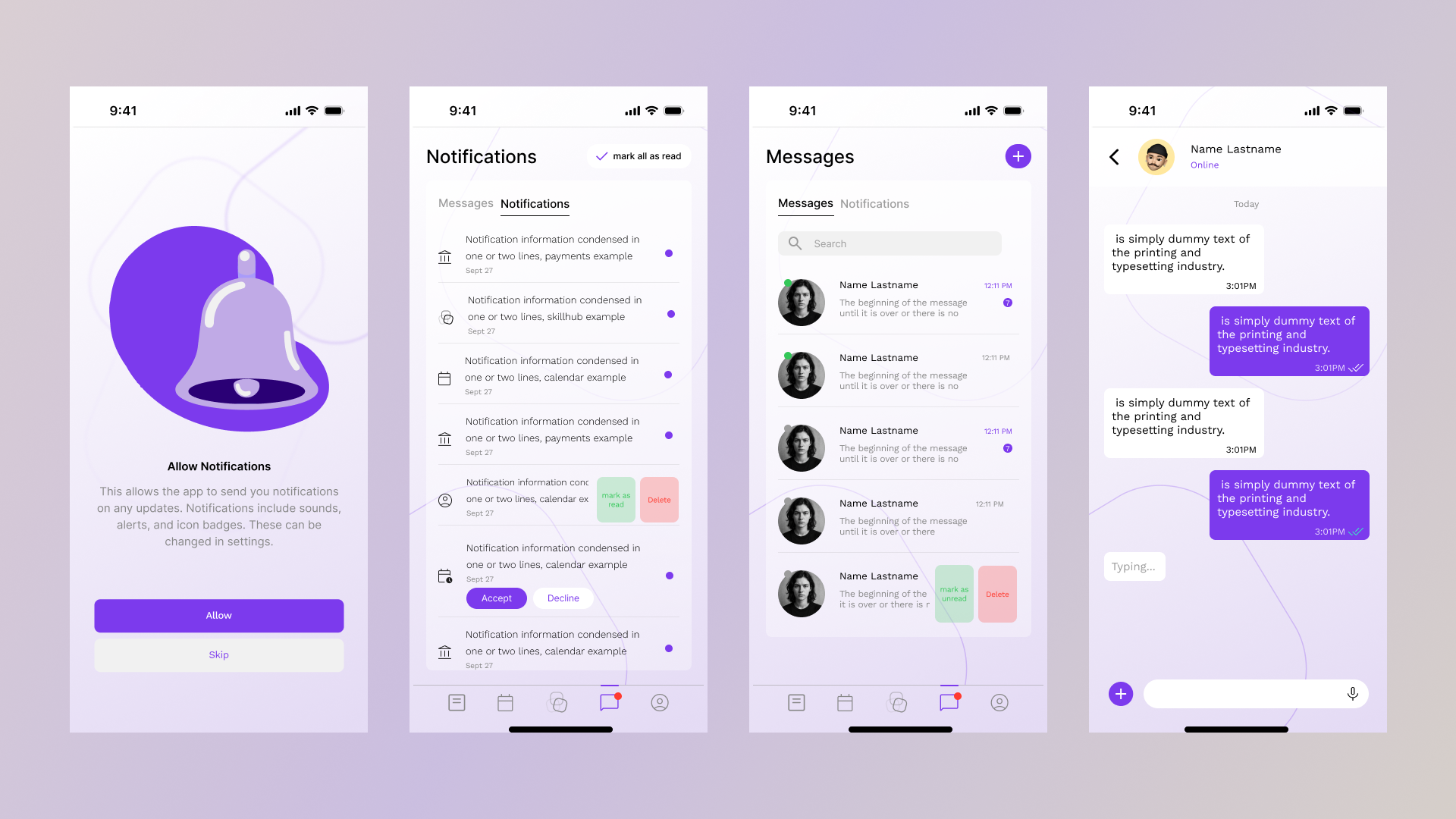
Consistent in-app messages and notifications across learners and experts, with a single taxonomy and tone.
Templates per event type; role-specific variants; centralized notification triggers and cadence controls.
Solution
A single messaging pattern with role-aware variants, plus a documented trigger map and delivery channels.
Challenge
Balancing relevance (avoid noise) while ensuring timely delivery of critical updates.
Takeaway (Flows)
A unified design language with clearly defined per‑role affordances yields scalable, maintainable flows that stay coherent as new features are introduced.
Softwares: Figma, Lottie, Miro, Slack, Linear